 bitcoinmix
Ethereum Mixer Guide: How to Mix ETH Step by Step
A screen-by-screen walkthrough of the Ethereum mixer: what to prepare, how to fill in each field, what every status means and how long a typical ETH mix takes.
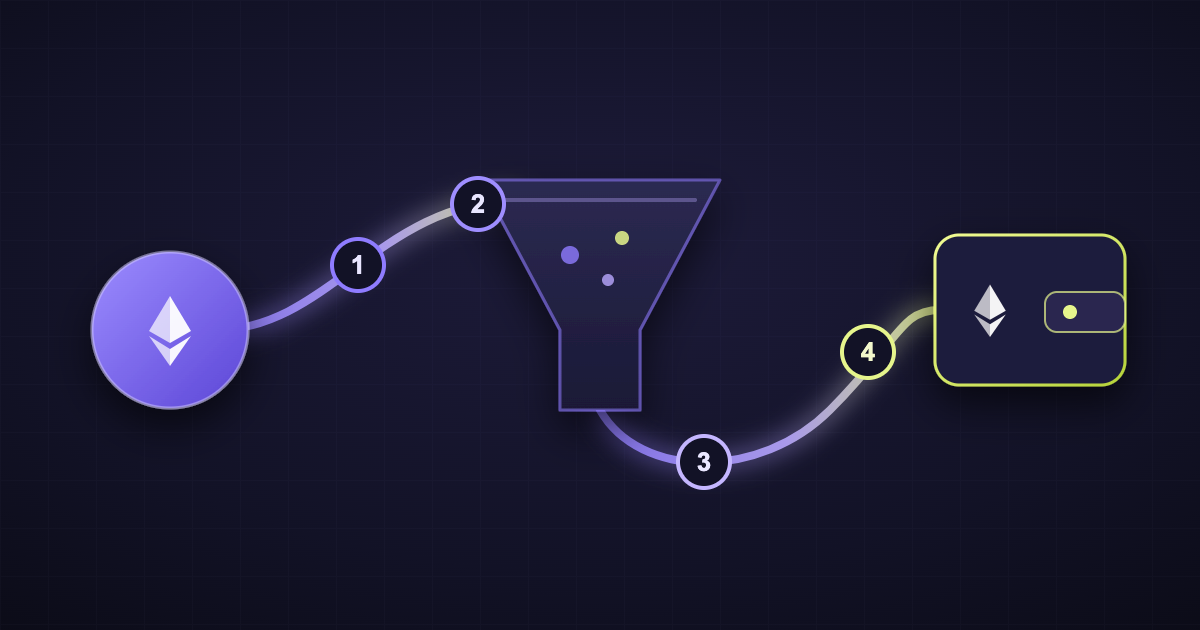
To mix ETH, paste a fresh receiving address, choose a delay, then send at least 0.05 ETH to the one-time address the mixer gives you. Fresh ETH reaches your new wallet once the delay ends. This guide walks through every screen of the Ethereum mixer with real screenshots. As a result, you know exactly what to expect before you send a single coin.
ETH Mixing at a Glance
Here is the whole process in six moves:
- Open the Ethereum mixer and select ETH.
- Paste the address that should receive your ETH.
- Pick a transfer delay between 30 and 1,200 minutes.
- Review the one-time address, fee and amounts.
- Save the mix link and the Letter of Guarantee.
- Send ETH, then wait for the payout.
The key numbers fit in one table:
| Detail | Value |
|---|---|
| Minimum amount | 0.05 ETH |
| Service fee | Random 2–5%, fixed before you send |
| Network fees | Ethereum gas for each transfer |
| Transfer delay | 30 to 1,200 minutes |
| Confirmations | 12 |
| Supported asset | Native ETH on Ethereum mainnet |
| Account | None needed |
| Mix link and log | Deleted after 72 hours |
Before You Start: Three Things to Prepare
A little preparation saves time later. Before you open the mixer, check these three points.
A wallet with no history. The payout should land in a brand-new address. Ideally, it has no ENS name, no NFTs and no link to your other wallets. The guide How to Use Ethereum Anonymously explains why this matters.
Native ETH, not tokens. The mixer accepts ETH on Ethereum mainnet only. So if your funds sit in USDT, USDC or another ERC-20 token, swap them to ETH first.
Enough for the minimum plus gas. The one-time address must receive at least 0.05 ETH. Your sending wallet also charges its own gas fee. Therefore, keep a little extra in that wallet.
The Walkthrough: Six Screens From Start to Payout
Each step below shows the exact screen you will see. Every page also works with JavaScript turned off.
1. Open the Ethereum Mixer and Select ETH
First, open the Ethereum mixer page. The mixing card sits at the top. ETH is already selected, but you can switch coins with the four buttons.
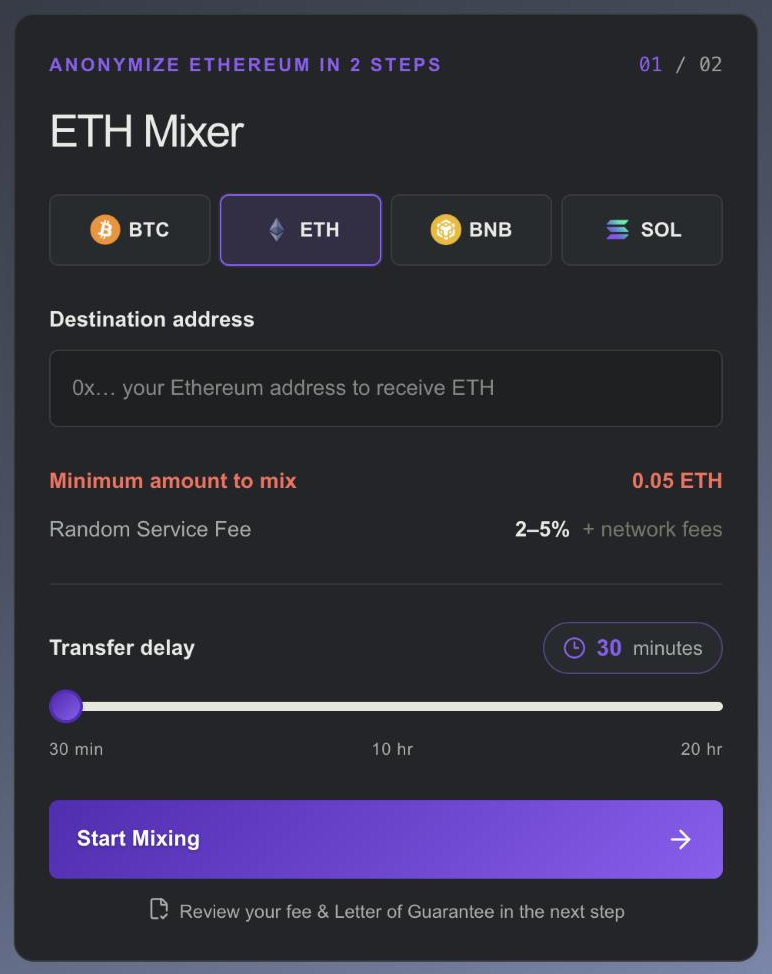
The card shows the minimum of 0.05 ETH. It also shows the service fee range of 2–5%, plus network fees.
2. Paste Your Receiving Address
Next, paste the address that should receive your fresh ETH. It must be an Ethereum address that starts with 0x.
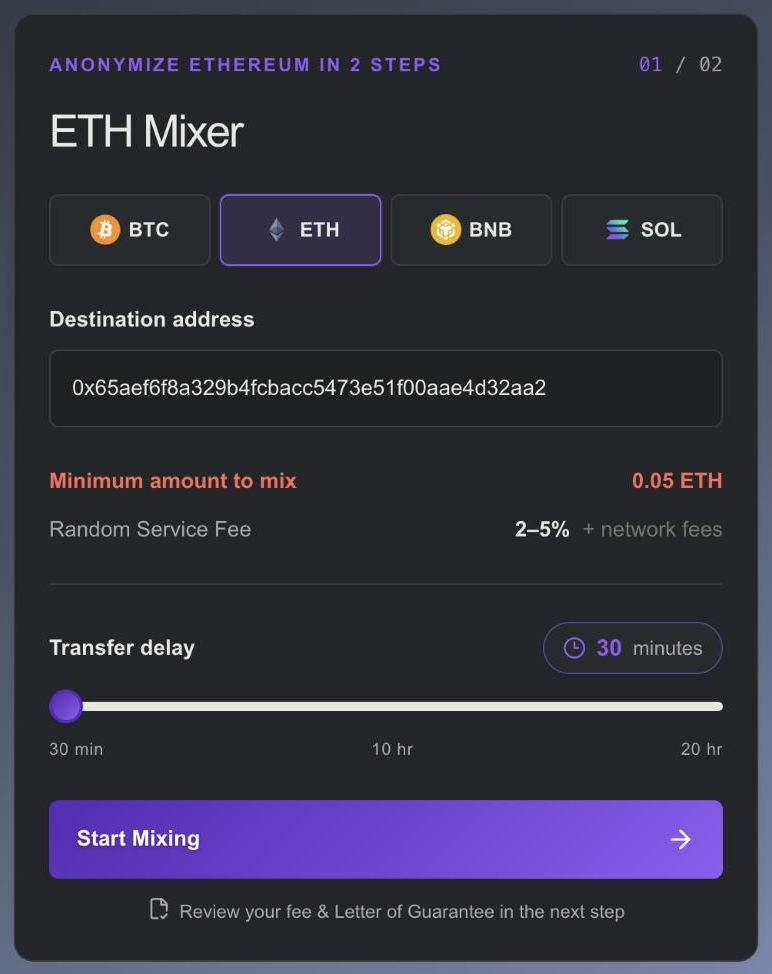
Take a moment to compare the first six and last six characters with your wallet. In fact, this simple habit catches most paste errors. Also, make sure the wallet can receive ETH on Ethereum mainnet.
3. Choose a Transfer Delay
Then, drag the slider to set how long the mixer waits before paying out. You can choose anything from 30 minutes to 20 hours. The badge above the slider shows your choice in minutes.
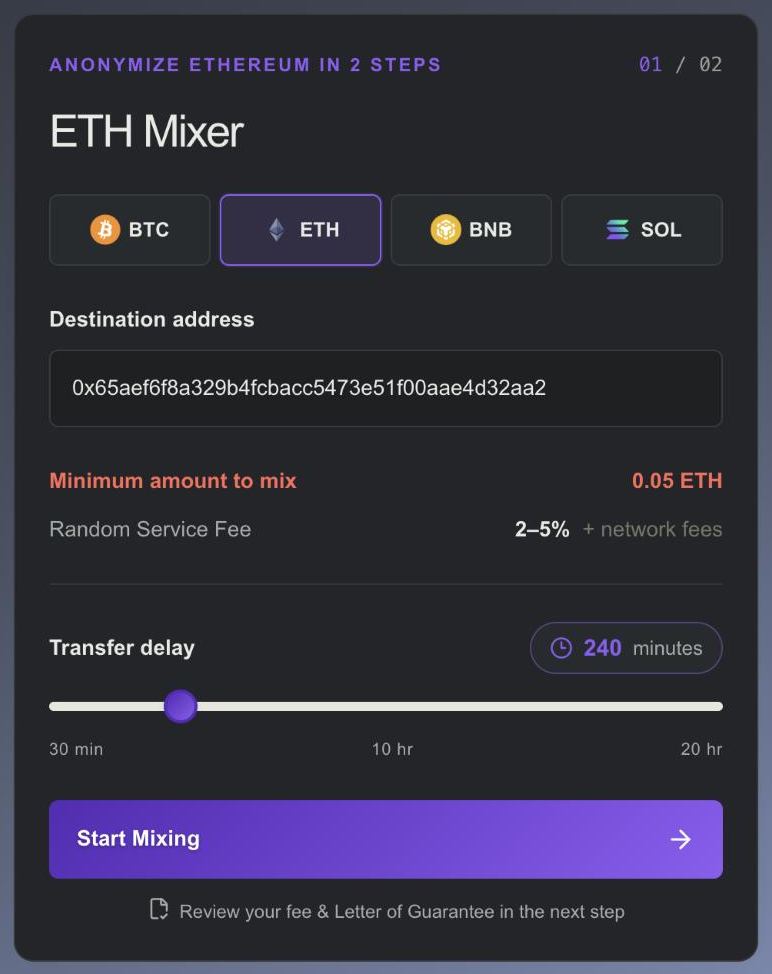
Ethereum produces a block about every 12 seconds. Because of that, short gaps between sending and receiving are easy to line up. A delay of a few hours makes that much harder. When you are ready, press Start Mixing.
4. Review Your Mix Page
After that, your private mix page opens. It shows the one-time address made for this mix, your fixed service fee and your delay.
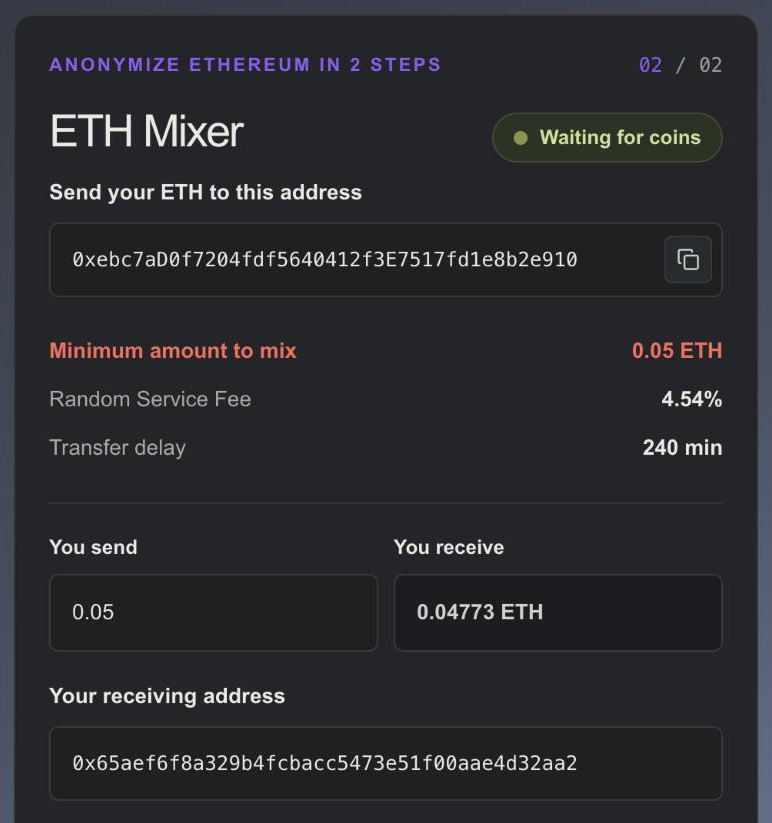
The fee is random for every mix. Once shown, it stays fixed for this mix. In this example it came out at 4.54%.
The You send box works as a calculator. Type an amount, then You receive shows what reaches your new wallet after the service fee. Below it, your receiving address appears again for one last check.
Most importantly, save the link of this page. It is your only way back to the mix. Both the link and the mix log are deleted after 72 hours.
5. Save the Letter of Guarantee
Further down sits the Letter of Guarantee. Press View to open it, or .txt to download it.
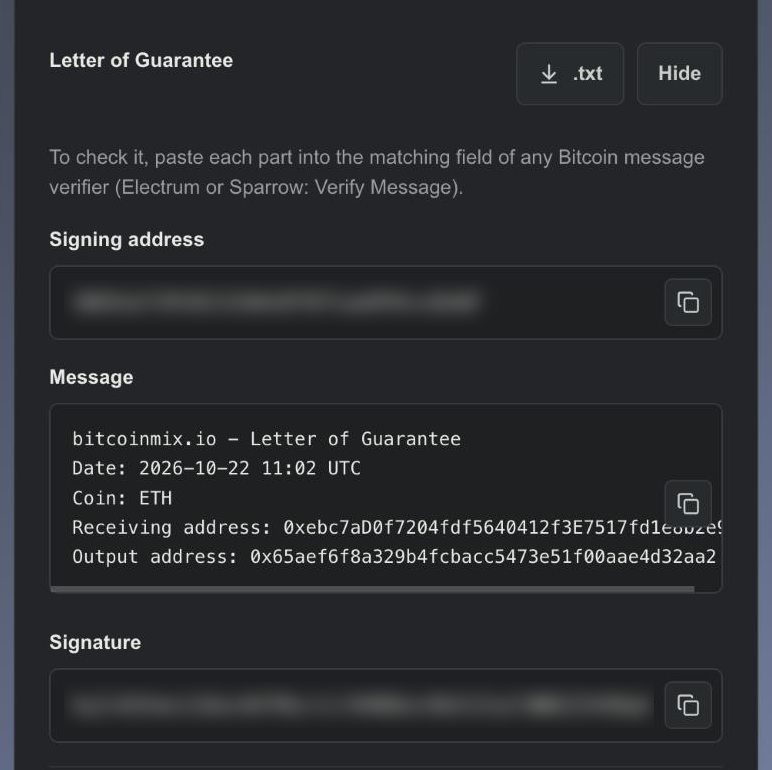
The letter is a signed message. It lists when the mix started, which coin it covers, the one-time receiving address and your output address. You can check it yourself in Electrum or Sparrow. For a full verification walkthrough, read What Is a Letter of Guarantee.
6. Send ETH and Follow the Status
Now send your ETH to the one-time address from step 4. Any wallet that sends native ETH on Ethereum mainnet works.
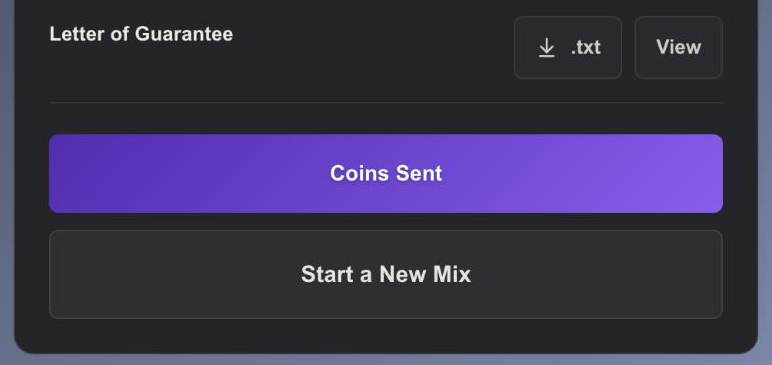
Afterwards, press Coins Sent. This button simply reloads the page, so you see the latest status. The mix moves forward on its own, whether the page is open or not.
What Each Status Badge Means
The badge at the top of the mix card tells you where things stand.
| Status | What It Means | What to Do |
|---|---|---|
| Waiting for coins | Nothing has arrived yet | Send ETH, then refresh after a few minutes |
| Coins received. Waiting for delay | 12 confirmations are done; your delay is running | Nothing; the timer runs by itself |
| Delay ended. Processing | The delay is over; the payout is being sent | Check your new wallet shortly |
| Complete | All payout transfers are sent | Done |
| Below minimum. Treated as a donation | Less than 0.05 ETH arrived | Top up within 24 hours (see below) |
How Long an ETH Mix Takes
Most of the time is the delay you choose. The rest is short.
| Stage | Typical Time |
|---|---|
| Your wallet broadcasts the transfer | Seconds to a few minutes |
| 12 confirmations on Ethereum | About 3 minutes |
| Your transfer delay | 30 to 1,200 minutes |
| Payout reaches your new wallet | A few minutes |
In practice, a mix takes from about 40 minutes to roughly a day. The payout may also arrive in more than one transfer. That is normal, so wait for the Complete badge before you count the total.
When Something Looks Off
Small surprises happen. Fortunately, most have a simple fix.
You Sent Less Than 0.05 ETH
The page then shows how much arrived and how much is missing. Send the difference to the same one-time address within 24 hours. Both amounts are then added up. Otherwise, the amount below the minimum counts as a donation.
You Sent USDT or Another Token
The mixer credits only native ETH. Tokens sent to the one-time address do not count toward a mix. For that reason, always swap tokens to ETH before sending.
The Page Still Says Waiting for Coins
First, check that your transfer appears on a block explorer. Ethereum needs 12 confirmations, which usually takes about three minutes. However, a very low gas price can leave a transfer pending for longer. Once it confirms, press Coins Sent again.
You Closed the Page Without Saving the Link
The mix still runs on its own. Your ETH goes to the receiving address you entered once the delay ends. You only lose the view of the status page.
Habits That Make an ETH Mix Work Better
A mixer separates two wallets. These habits keep them separate afterwards:
- Spend gas from the new ETH itself. Never top up the new wallet from your old one.
- Avoid sending the exact mixed amount onward. Matching numbers are easy to spot.
- Keep the new wallet out of your old browser profile. Sites can link wallets that connect from the same browser.
- Do not send funds back. One transfer from the new wallet to a known address links the two again.
Ethereum Mixer FAQ
Do I Need an Account to Mix ETH?
No. There is no sign-up. You never give an email or a password. The private mix link is all you need.
Can I Choose the Service Fee?
No. Each mix gets a random fee between 2% and 5%. You see it on the mix page before sending, then it stays fixed for that mix.
Can I Send ETH Straight From an Exchange?
Yes. Any wallet or exchange that sends native ETH on Ethereum mainnet works. Just make sure the amount that arrives is at least 0.05 ETH after the exchange's own withdrawal fee.
Can I Mix ETH From a Layer 2 Network?
No. The mixer accepts ETH on Ethereum mainnet only. Move your ETH to mainnet first, then send it to the one-time address.
Is an ETH Tumbler the Same as an Ethereum Mixer?
Yes. Ethereum mixer, ETH tumbler, ETH blender and Ethereum anonymizer all describe the same service. Each one moves your ETH to a fresh wallet with no visible link to the old one.
Does the Mixer Work Without JavaScript?
Yes. Every step, from the form to the status page, works with JavaScript turned off.